



Bulk upload experience
Intuit TurboTax
Bulk upload experience
Product design, UX/UI, strategy
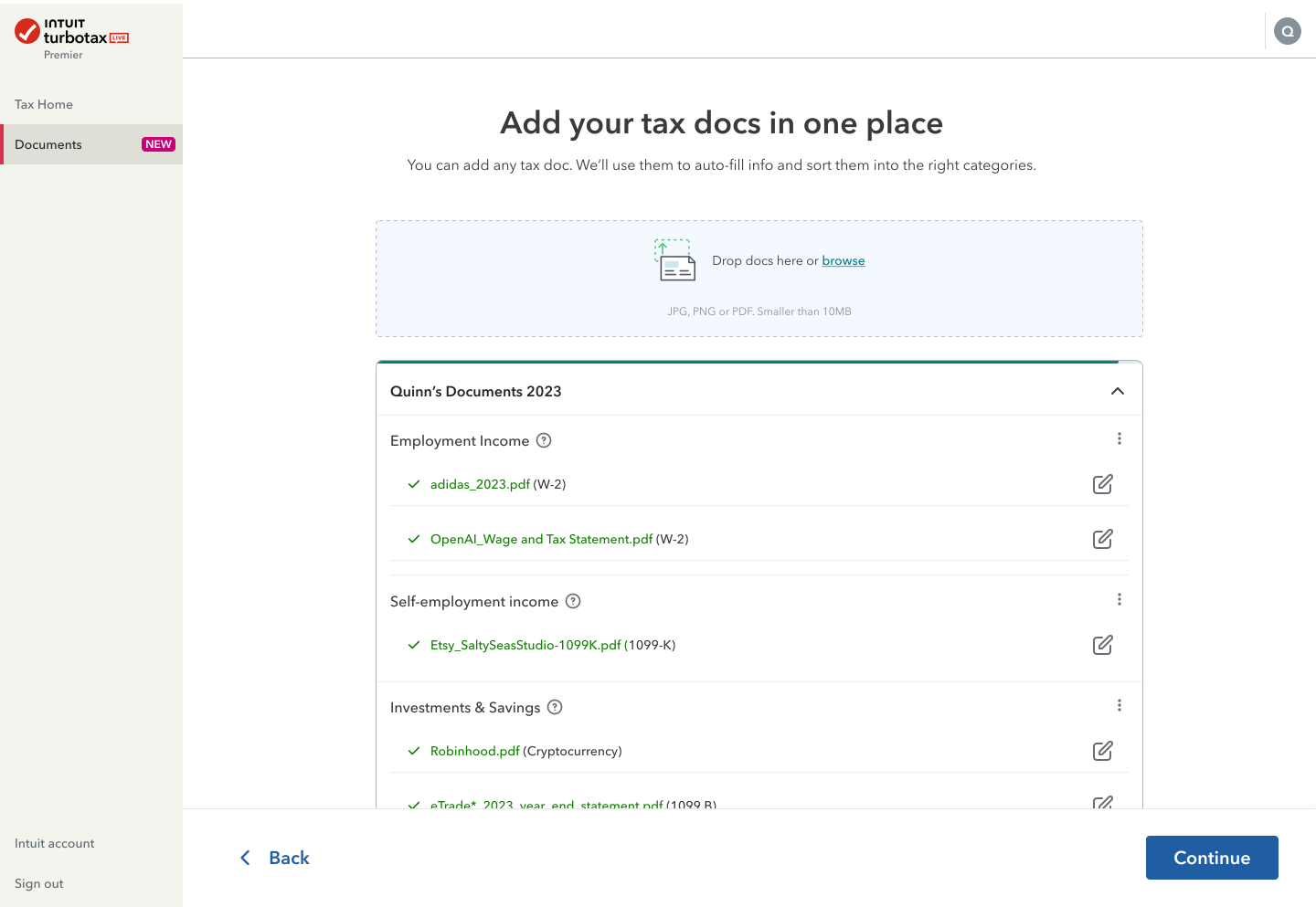
At its core this was a data-integrity problem: how do you let someone drop a large, messy batch of tax documents into a system and trust each one is read correctly, classified accurately, and applied to their return, or fails in a way they can understand and recover from? The tax context was incidental. The hard part was resilient handling of high-stakes, high-volume, error-prone input at scale.
2.5
min/doc saved
97
error reduction
95
ML classification accuracy
Define (problem)
- Users were uncertain about what documents to gather before beginning, causing interruptions midway through tax prep
- Many were unaware of TurboTax’s document import capabilities and ended up converting or scanning unnecessarily
- Uploading documents one at a time was tedious, error-prone, and discouraged users from completing the process in one session
- High friction in the document stage led to support tickets, drop-offs, and reduced trust in the system
How might we help customers get organized before they start, and handle every failure state gracefully during bulk upload?
Team collaboration & edge case planning
As part of our early discovery and planning phase, we facilitated a focused Bulk upload edge case brainstorming workshop using FigJam. The goal was to collaboratively identify real-world failure points, anticipate technical limitations, and explore solutions ranging from practical to imaginative.
My cross-functional team of six:
- 2 designers
- 1 frontend engineer
- 1 product manager
- 1 researcher
- 1 strategy partner
My role
I partnered with a second designer through discovery and edge-case workshopping, then owned all design through delivery, collaborating tightly with engineering, ML/data, and product strategy.
- Research design and framing
- Flow & interaction design
- Error state and edge-case modeling
- Cross-functional alignment (ML/data and infrastructure)
- Measurement and iteration post-launch

I started from the failure states, not the happy path. We defined the ideal state (100% of documents uploaded, classified, and applied without manual correction) and then enumerated every way reality falls short of it, each needing its own UI path, messaging, and fallback logic.
Edge states & design logic
- Single document upload failure
- All uploads failure (none succeeded)
- Extraction failure (file accepted, but parsing failed)
- Document type supported but not classified (“Other docs”)
- Document applied with low classification confidence (needs review)

Design decisions
Each failure state got a specific, recoverable path rather than a dead end:
Unsupported format
Pre-upload validation rejects invalid types before the user wastes time. (e.g. “Only PDF, PNG, JPG accepted”)
Oversized files
Enforced limits up front, with chunked/resumable uploads so one big file doesn’t fail the whole batch.
Duplicates
Dedup logic with clear UI warnings.
Corrupted/unreadable
Flag the parse failure early with a plain-language message and a remediation path.
Partial extraction
Show extracted fields against missing ones; let the user correct inline.
Low confidence classification
Surface a “please review” prompt and let the user override the machine.
Partial success plus correction beats all-or-nothing
A batch where 9 of 10 docs land and the 10th is clearly flagged is far more usable than a batch that fails silently.
Prototyping happy path & edge case error states


Results & impact
2.5
min/doc saved
97
error reduction
95
ML classification accuracy
- Faster progression through tax prep, especially for power users
- Lower support burden around document upload errors
- Increased user confidence, reducing drop-offs
- Foundation established for further automation
- Strengthened brand perception of robustness & intelligence
- Edge states are inevitable, design them early
- Allowing partial success + correction is often more user-friendly than strict “all or nothing”
- Clear error messaging (what failed, and how to fix) is as crucial as UI design
- Infrastructure (backend, scaling, retry logic) must align tightly with front-end capability
Reflections & next phases
- Live / background processing
Letting users move ahead while extraction runs in background - Smarter merging & deduplication
Merging different document scans into a unified form view - Cross-product reuse
Applying import logic beyond tax docs (e.g. financial statements, receipts) - Foreign language detection
Auto-detect language, warn gently, offer extraction with disclaimer. - Predictive document reminders
Suggest “You may be missing a 1098” based on prior years.
- Over-handling rare error cases adds UI complexity, we needed to balance coverage vs simplicity
- ML confidence thresholds had to be tuned carefully to avoid misclassifications
- Infrastructure demands (throughput, retries, scaling) were heavy, we prioritized reliability
- Time & budget constraints meant some fallback UI states were deprioritized in V1